
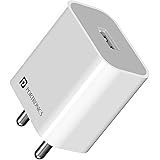
Portronics Adapto 12 2.4A 12W Fast Wall Charger for iPhone 11/Xs/XS Max/XR/X/8/7/6/Plus, iPad Pro/Air 2/Mini 3/Mini 4, Samsung S4/S5, and More(White)
₹129.00 (as of October 27, 2026 17:07 GMT +05:30 - More infoProduct prices and availability are accurate as of the date/time indicated and are subject to change. Any price and availability information displayed on [relevant Amazon Site(s), as applicable] at the time of purchase will apply to the purchase of this product.)
Samsung Galaxy S25 Ultra 5G AI Smartphone (Titanium Black, 12GB RAM, 256GB Storage), 200MP Camera, 5000mAh Ultra Long Battery, QHD+ Dynamic AMOLED 2X, Galaxy AI, Knox Security, S Pen Included
₹96,999.00 (as of October 27, 2026 17:07 GMT +05:30 - More infoProduct prices and availability are accurate as of the date/time indicated and are subject to change. Any price and availability information displayed on [relevant Amazon Site(s), as applicable] at the time of purchase will apply to the purchase of this product.)
Watch the original video: Automate Your Life: ChatGPT's NEW Scheduling Feature for Daily Updates | 2026 AI
Disclosure: This post may contain affiliate links. If you buy through them, Informative Media may earn a small commission at no extra cost to you.
Quick Summary
- ChatGPT now features a powerful scheduling tab to automate tasks.
- Set up custom AI briefings for news, market updates, and alerts.
- Personalize frequency, content type, and connect with external apps.
- Receive real-time notifications on mobile and desktop.
- Transform ChatGPT into your ultimate AI assistant for daily updates.
Amazon Finds
Recommended Products
Automate Your Life with ChatGPT’s New Scheduling Feature
The way we interact with AI is constantly changing, and the latest update to ChatGPT is set to redefine personal and professional productivity. If you’re keen on staying ahead of the curve and making your daily routine smarter, you’ll want to pay attention to ChatGPT’s new ‘Schedule’ tab. This feature is a genuine game-changer, allowing you to automate a host of tasks and ensure you never miss critical information. For a full walkthrough, be sure to check out the accompanying YouTube video here: Automate Your Life: ChatGPT’s NEW Scheduling Feature for Daily Updates | 2026 AI.
What Exactly is the ChatGPT Schedule Feature?
At its core, the Schedule feature transforms ChatGPT from a reactive tool into a proactive assistant. It allows you to create custom, automated prompts that run at specified intervals. Think of it as setting up your own personal AI assistant to deliver specific information to you, rather than you having to ask for it every time. This could range from daily AI news briefings and stock market updates to alerts about specific WhatsApp feature rollouts, concert announcements, or even exam result notifications.
Customizing Your Automated Briefings and Alerts
The real power lies in the customization. You can define:
- Frequency: Set tasks to run hourly, daily, weekly, or at custom intervals.
- Content: Specify exactly what information you want ChatGPT to gather and present.
- Delivery: Get real-time notifications pushed directly to your mobile and desktop devices.
This means you can tailor ChatGPT to your specific needs, whether it’s keeping up with the latest tech trends or managing personal reminders.
Real-World Use Cases to Inspire You
The possibilities are vast. Here are a few examples to get your creative juices flowing:
- Daily Tech News Digest: Get a summary of the top tech news, focusing on AI developments, delivered every morning.
- Market Watch: Receive hourly updates on specific stocks or cryptocurrency prices.
- App Update Tracker: Stay informed about new features or changes in your favorite apps, like WhatsApp.
- Event Reminders: Set up alerts for upcoming concerts, webinars, or important deadlines.
- Exam Results Notification: Get an instant alert when specific exam results are released.
This capability brings a new level of control and automation to your information consumption.
How to Access and Set Up Your Scheduled Tasks
Getting started is straightforward. As demonstrated in the video, the ‘Schedule’ tab is where the magic happens. You’ll navigate through an intuitive interface to create new scheduled prompts. This involves defining your prompt, setting the recurrence, and choosing your notification preferences. It’s designed to be user-friendly, even for those new to AI automation.
Integrating with Other Applications
Beyond just notifications, the scheduling feature allows integration with other applications, such as your email. This means automated reports or summaries can be directly sent to your inbox, further streamlining your workflow. For those looking to explore deeper AI integrations, our guide on unlocking AI’s full potential with a single prompt might offer some inspiration.
The Benefits: Staying Informed and Productive
The primary benefit is obvious: enhanced productivity and reduced mental load. By automating routine information gathering, you free up time and cognitive energy for more important tasks. Real-time notifications ensure you’re always in the loop, making timely decisions easier. Managing your active and completed schedules is also simple, giving you oversight of your automated processes.
Conclusion: What Will You Automate First?
ChatGPT’s new scheduling feature is a significant step towards a more automated and intelligent future. It empowers users to customize their AI experience like never before, turning their chatbot into an indispensable daily assistant. Whether you’re a student, a professional, or just someone looking to manage information more effectively, this feature offers immense value. We encourage you to explore it and discover what you’ll automate first!
Frequently Asked Questions (FAQ)
- Q1: Is the ChatGPT scheduling feature available on all plans?
- A1: The video implies this is a new, potentially advanced feature. Availability might vary based on subscription tiers. Check OpenAI’s official announcements for the most current information.
- Q2: Can I schedule prompts that require real-time interaction or complex follow-ups?
- A2: The feature is primarily for automated information delivery. Complex, multi-turn conversations might still require manual initiation, but scheduled prompts can be designed to trigger follow-up actions.
- Q3: How does ChatGPT handle data privacy with scheduled tasks?
- A3: OpenAI has strict data privacy policies. Scheduled tasks will adhere to these, processing data according to user settings and OpenAI’s terms of service. Users should review the privacy policy for specifics.
- Q4: Can I use this feature to automate social media posting?
- A4: While you can schedule prompts to gather content ideas or drafts, direct social media posting automation would likely require integration with third-party tools or APIs, which the feature might support.

OnePlus N6 | 6GB+128GB | Midnight Green | Segment's Biggest 8000mAh Battery | Segment's Fastest 45W Charging | 60-Month Smoothness | Smooth 120Hz Display | 50MP Camera | Military-Grade Durability
₹26,999.00 (as of October 27, 2026 17:07 GMT +05:30 - More infoProduct prices and availability are accurate as of the date/time indicated and are subject to change. Any price and availability information displayed on [relevant Amazon Site(s), as applicable] at the time of purchase will apply to the purchase of this product.)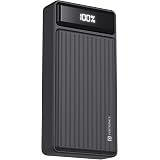
Portronics Luxcell B 20K Advanced 20000 mAh Power Bank with 22.5W Max Output, LED Battery Display, 22.5w Mach USB-A, 20w Type C PD Output, Type C Input, Wake Up Button, Black
Now retrieving the price.
(as of October 27, 2026 17:07 GMT +05:30 - More infoProduct prices and availability are accurate as of the date/time indicated and are subject to change. Any price and availability information displayed on [relevant Amazon Site(s), as applicable] at the time of purchase will apply to the purchase of this product.)