Portronics MODESK Universal Mobile Holder Stand with Metal Body, Anti Skid Design, Light Weight for All Smartphones, Tablets, Kindle, iPad(Black)
Now retrieving the price.
(as of October 27, 2026 17:07 GMT +05:30 - More infoProduct prices and availability are accurate as of the date/time indicated and are subject to change. Any price and availability information displayed on [relevant Amazon Site(s), as applicable] at the time of purchase will apply to the purchase of this product.)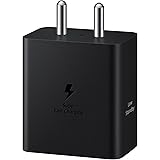
Samsung Galaxy 45W Travel Adaptor (Without Cable), Black
₹839.00 (as of October 27, 2026 17:07 GMT +05:30 - More infoProduct prices and availability are accurate as of the date/time indicated and are subject to change. Any price and availability information displayed on [relevant Amazon Site(s), as applicable] at the time of purchase will apply to the purchase of this product.)
Watch the original video: Create FREE AI Video using THIS Tool
Disclosure: This post may contain affiliate links. If you buy through them, Informative Media may earn a small commission at no extra cost to you.
Quick Summary
- Generate complete video scripts and ideas using NotebookLM.
- Convert your NotebookLM notes into a video structure easily.
- Learn to add free AI voiceovers and visuals to your content.
- Discover how to export and upload your AI videos to YouTube effectively.
Amazon Finds
Recommended Products
Tired of Expensive Video Editing Software? Create FREE AI Videos!
Are you looking to dive into the world of AI video creation but are worried about the costs? Many creators think you need pricey software or complex skills to make engaging AI-powered videos. The good news is, you don’t! This tutorial, inspired by the video “Create FREE AI Video using THIS Tool,” breaks down a surprisingly simple method using Google’s NotebookLM.
Whether you’re running a faceless YouTube channel, a student working on a project, or a blogger wanting to repurpose content, this guide is for you. We’ll show you how to leverage free resources to turn ideas into polished AI videos without spending a dime.
What is NotebookLM and Why Use It for Videos?
NotebookLM is a powerful AI research assistant that helps you organize and understand information. You can upload documents, paste text, and it will generate summaries, key points, and even potential script outlines. This makes it an incredible tool for brainstorming and structuring your video content, especially for research-based topics.
Step-by-Step Guide to Creating Your FREE AI Video
- Generate Your Script with NotebookLM: Upload your source materials or paste your text into NotebookLM. Ask it to generate a script, outline, or key talking points for your video topic. It’s designed to help you synthesize information efficiently.
- Structure Your Video: Use the script generated by NotebookLM as a blueprint. Break it down into logical segments for your video.
- Create AI Voiceovers: Numerous free AI voice generator tools are available online. You can input your script text and generate a natural-sounding voiceover without needing to record yourself.
- Find Free Visuals: Websites offering free stock videos and images are abundant. Use these resources to find relevant footage and graphics that match your voiceover and script. Ensure you check the licensing terms.
- Assemble Your Video: Use a free video editing software (many are available online or as desktop applications) to combine your AI voiceover, stock footage, and any on-screen text or graphics.
- Export and Upload: Once your video is edited, export it in a suitable format (like MP4) and upload it to YouTube. Remember to optimize your title, description, and tags for better visibility.
Pro Tips for Standout AI Videos
- Content is King: Even with AI, a well-researched and engaging script is crucial. Use NotebookLM to its full potential for in-depth information gathering.
- Voiceover Quality Matters: Experiment with different free AI voice tools to find one that sounds most natural and fits your content’s tone.
- Visual Storytelling: Don’t just use random clips. Select visuals that genuinely enhance your narrative and keep viewers engaged.
- YouTube SEO: Implement the tips shared in the video on optimizing your AI videos for YouTube search. This includes keyword research and compelling thumbnails.
Common Mistakes to Avoid
- Over-reliance on AI without Review: Always review and edit AI-generated scripts for accuracy and flow.
- Poor Visual Quality: Low-resolution or irrelevant stock footage can detract from your video.
- Ignoring Audio Quality: A robotic or unclear voiceover will turn viewers off quickly.
Frequently Asked Questions
Can I really create AI videos completely for free?
Yes, with tools like NotebookLM for scripting and other free resources for voiceovers and visuals, you can create AI videos without any cost. The tutorial linked at the top provides a clear walkthrough.
Is NotebookLM suitable for beginners?
Absolutely. NotebookLM is designed to be user-friendly, and this tutorial focuses on a simple method for video creation, making it accessible even if you’re new to AI tools.
What kind of videos can I make with this method?
This method is versatile. You can create educational content, explainer videos, tech tutorials, news summaries, storytelling, and more. It’s particularly great for faceless YouTube channels.
Ready to start creating? Dive into NotebookLM and experiment with this free AI video creation technique!
Portronics MODESK Universal Mobile Holder Stand with Metal Body, Anti Skid Design, Light Weight for All Smartphones, Tablets, Kindle, iPad(Black)
Now retrieving the price.
(as of October 27, 2026 17:07 GMT +05:30 - More infoProduct prices and availability are accurate as of the date/time indicated and are subject to change. Any price and availability information displayed on [relevant Amazon Site(s), as applicable] at the time of purchase will apply to the purchase of this product.)