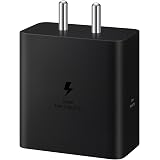
Samsung Original 60W Power Adapter (Black), GaN Fast Charging, USB Power Delivery 3.1, Universal Compatibility (Without Cable)
₹999.00 (as of October 27, 2026 17:07 GMT +05:30 - More infoProduct prices and availability are accurate as of the date/time indicated and are subject to change. Any price and availability information displayed on [relevant Amazon Site(s), as applicable] at the time of purchase will apply to the purchase of this product.)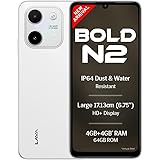
Lava Bold N2 (Siachen White, 4 GB RAM, 64 GB Storage) | 13MP AI Dual Rear Camera | Largest 6.75" HD+ Display | 5000 mAh Battery & 10W Charging | IP64 Water & Dust Proof | Charger & Phone-Case in Box
₹9,349.00 (as of October 27, 2026 17:07 GMT +05:30 - More infoProduct prices and availability are accurate as of the date/time indicated and are subject to change. Any price and availability information displayed on [relevant Amazon Site(s), as applicable] at the time of purchase will apply to the purchase of this product.)
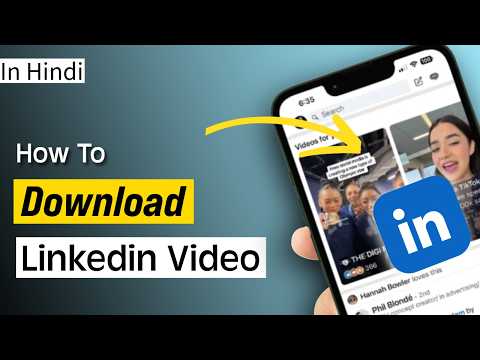
Watch the original video: How to Download Linkedin Video | [2026]
Disclosure: This post may contain affiliate links. If you buy through them, Informative Media may earn a small commission at no extra cost to you.
Quick Summary
- Save valuable LinkedIn videos directly to your phone’s gallery.
- No need to install any additional apps for downloading.
- A straightforward website method is explained step-by-step.
- Easily access and re-watch important professional content.
Amazon Finds
Recommended Products
Tired of Not Being Able to Save Those Great LinkedIn Videos?
LinkedIn is a goldmine for professional insights, industry news, and valuable tutorials. But what if you want to save a particularly useful video to watch later, share with a colleague, or keep for reference? Unfortunately, LinkedIn doesn’t offer a direct download button. This is where our latest guide, showcased in the YouTube video, comes in handy. We’ll show you a super simple, app-free way to download LinkedIn videos straight to your phone’s gallery.
In today’s fast-paced digital world, keeping important information accessible is key. Whether it’s a marketing tip, a leadership strategy, or a technical demonstration, having the ability to download these videos can significantly boost your learning and productivity. Forget complicated software or third-party apps that might clutter your device; this method is clean and effective.
Amazon Finds
Recommended Products
Quick Answer: Download LinkedIn Videos Effortlessly
The easiest way to download LinkedIn videos without an app is by using a dedicated online downloader website. You simply copy the video’s link from LinkedIn, paste it into the website, and then download the video file directly.
Step-by-Step Guide to Downloading LinkedIn Videos
Follow these straightforward steps to save any LinkedIn video you find:
- Find Your Video: Navigate to the LinkedIn post containing the video you wish to download.
- Copy the Video URL: Click on the video to open it, and then copy the URL from your browser’s address bar.
- Visit the Downloader Website: Open your Chrome browser (or any other browser) and go to the specific website shown in our video tutorial. (Note: The exact website name is demonstrated clearly in the video for accuracy.)
- Paste and Download: Paste the copied LinkedIn video URL into the designated field on the downloader website and click the ‘Download’ button.
- Stream and Save: The website will process the link, and you’ll see the video streaming on the page. Right-click (or long-press on mobile) and select ‘Save video as…’ to download it to your phone or computer.
Pro Tips for Seamless Downloading
- Use Chrome: While other browsers might work, Chrome is often the most compatible for these types of online tools.
- Check Video Quality: Some downloaders offer different quality options. Choose the one that best suits your needs.
- Bookmark the Downloader: Once you find a reliable website, bookmark it for quick access later.
Common Mistakes to Avoid
- Downloading from Untrusted Sites: Always be cautious about which websites you use for downloading. Stick to reputable ones to avoid malware.
- Forgetting to Copy the URL: Double-check that you’ve copied the correct and complete URL from the LinkedIn video post.
Frequently Asked Questions (FAQ)
What if the website doesn’t work?
Sometimes, websites that offer download services can be updated or taken down. If one doesn’t work, try searching for an alternative online video downloader for LinkedIn. Our video demonstrates a working method as of its publication.
Do I need to create an account to download?
The method shown in our video aims to be app-free and account-free, requiring no sign-ups on the downloader site itself. However, always be mindful of the specific site’s requirements.
Can I download LinkedIn Live videos?
Typically, most downloaders work best with standard uploaded videos. Live videos can be trickier, and their availability for download might depend on how they are processed after the stream ends.
Saving valuable content from LinkedIn has never been easier. Implement this simple trick and keep your favorite professional videos at your fingertips!
Amazon Finds
Recommended Products

Portronics Konnect X USB to Type C Cable with 3A Output, Fast Charging & Data Transfer, Nylon Braided, Aluminium Alloy Shell, 1M Length compatible with Type C Smartphones(White)
₹129.00 (as of October 27, 2026 17:07 GMT +05:30 - More infoProduct prices and availability are accurate as of the date/time indicated and are subject to change. Any price and availability information displayed on [relevant Amazon Site(s), as applicable] at the time of purchase will apply to the purchase of this product.)