
Portronics MODESK Universal Mobile Holder Stand with Metal Body, Anti Skid Design, Light Weight for All Smartphones, Tablets, Kindle, iPad(Black)
Now retrieving the price.
(as of October 27, 2026 17:07 GMT +05:30 - More infoProduct prices and availability are accurate as of the date/time indicated and are subject to change. Any price and availability information displayed on [relevant Amazon Site(s), as applicable] at the time of purchase will apply to the purchase of this product.)
Samsung Original Type C to C Cable - 3.28 Feet (1 Meter), Black
₹304.00 (as of October 27, 2026 17:07 GMT +05:30 - More infoProduct prices and availability are accurate as of the date/time indicated and are subject to change. Any price and availability information displayed on [relevant Amazon Site(s), as applicable] at the time of purchase will apply to the purchase of this product.)
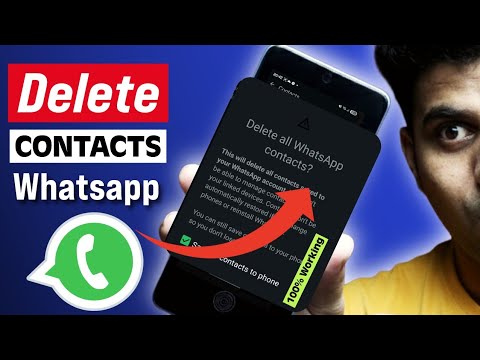
Watch the original video: How to Delete All Contact from Whatsapp [BEST WAY]
Disclosure: This post may contain affiliate links. If you buy through them, Informative Media may earn a small commission at no extra cost to you.
Quick Summary
- WhatsApp syncs contacts from your phone’s address book.
- To delete WhatsApp contacts, you must delete them from your phone’s contacts app first.
- Refresh your WhatsApp contacts after deleting them from your phone.
- This method works for both Android and iPhone users in 2026.
- Learn how to stop WhatsApp from syncing contacts to prevent future clutter.
Amazon Finds
Recommended Products
Samsung Galaxy S24 Ultra
Managing contacts and using apps like WhatsApp is a smoother experience on a high-performance smartphone. This device offers ample storage and processing power for seamless operation.
iPhone 15 Pro
For iPhone users, a device like the iPhone 15 Pro ensures excellent integration with iOS features, making contact management and app usage straightforward and efficient.
How to Delete All Contacts from WhatsApp: The BEST Way Explained (2026 Guide)
Ever found yourself scrolling endlessly through your WhatsApp contacts, wishing for a quick way to clear them all out? You’re not alone. Many users search for a simple ‘delete all contacts’ button within the app, only to find that WhatsApp doesn’t quite work that way. As explained in our latest video tutorial, How to Delete All Contact from Whatsapp [BEST WAY], the key lies in understanding how WhatsApp syncs with your phone’s address book.
This guide is your ultimate solution for managing your WhatsApp contacts efficiently on both Android and iPhone in 2026. We’ll walk you through the process step-by-step, ensuring you can clean up your list without any hassle.
The Problem: No Direct ‘Delete All’ Button
The most common misconception is that WhatsApp stores contacts independently. In reality, WhatsApp pulls contact information directly from your phone’s native contacts app. This means any changes you make to your phone’s contacts will reflect in WhatsApp.
The Quick Answer: Manage Your Phone Contacts
The most effective way to delete all contacts from WhatsApp is to delete them from your phone’s contact list. Once removed from your phone, they will automatically disappear from WhatsApp after a refresh.
Step-by-Step Guide: Clearing Your WhatsApp Contacts
Here’s how to do it:
For Android Users:
- Open your phone’s Contacts app.
- Look for an option to select multiple contacts (often found in a menu or by long-pressing a contact).
- Select all the contacts you wish to remove.
- Tap the Delete option. Confirm the deletion.
- Open WhatsApp. Go to the Chats tab, tap the new chat icon (usually a speech bubble in the bottom right).
- Tap the three-dot menu in the top right and select Refresh.
For iPhone Users:
- Open the Contacts app on your iPhone.
- Unfortunately, iOS doesn’t have a native ‘select all’ for contacts. You might need to use a third-party app or delete them individually or in small batches. For mass deletion, consider an app like ‘Groups’ or similar contact management tools from the App Store that allow bulk deletion.
- Once contacts are deleted from your phone, open WhatsApp.
- Go to Settings > Account > Privacy > Blocked Contacts. Then go back to the Chats tab.
- Tap the new chat icon. Your contacts should refresh automatically. If not, try closing and reopening WhatsApp, or restarting your phone.
Pro Tips & Shortcuts
- Stop Syncing: To prevent WhatsApp from automatically adding contacts in the future, you can manage app permissions. On Android, go to Settings > Apps > WhatsApp > Permissions and disable access to Contacts. On iPhone, go to Settings > Privacy & Security > Contacts and toggle off WhatsApp. Note: This may impact other WhatsApp features.
- Refreshing Contacts: If contacts don’t disappear immediately, ensure your phone has a stable internet connection and try refreshing manually as described above. Sometimes, restarting the app or your phone helps.
- Unknown Numbers: To remove unknown numbers that might have appeared, you’ll need to delete them from your phone’s contacts first.
Common Mistakes to Avoid
- Deleting Chats, Not Contacts: Deleting a chat with a contact does not remove them from your contact list or from WhatsApp’s view.
- Expecting In-App Deletion: Don’t waste time looking for a ‘delete all’ button within WhatsApp itself. The solution lies in your phone’s native contacts app.
- Not Refreshing: Forgetting to refresh your contact list in WhatsApp after deleting phone contacts is a common oversight.
Frequently Asked Questions (FAQ)
Q1: Can I delete all contacts from WhatsApp at once?
Yes, but indirectly. You need to delete all contacts from your phone’s address book first, and then refresh WhatsApp. There isn’t a direct ‘delete all’ button within WhatsApp itself.
Q2: Why are deleted contacts still showing in my WhatsApp?
This usually happens if you haven’t deleted the contact from your phone’s primary contacts app or if WhatsApp hasn’t refreshed its contact list. Ensure the contact is removed from your phone and then manually refresh WhatsApp.
Q3: How do I stop WhatsApp from syncing contacts?
You can disable contact access permission for WhatsApp in your phone’s settings. On Android, go to Settings > Apps > WhatsApp > Permissions and disable Contacts. On iPhone, go to Settings > Privacy & Security > Contacts and turn off WhatsApp.
Q4: Will deleting a contact from my phone delete their WhatsApp chat?
No, deleting a contact from your phone will remove them from your WhatsApp contact list, but it does not delete your past chat history with that contact. The chat will remain unless you manually delete it.
By following these steps, you can easily manage and clear your WhatsApp contact list, keeping it tidy and up-to-date. For more tech tips and tutorials, be sure to check out our other guides!
This guide is based on the latest WhatsApp updates in 2026 and covers both Android and iPhone.

Samsung Original 25W USB Type-C Travel Adaptor Without Cable for Google Pixel, Xiaomi, Motorola, iPhone, Samsung Galaxy Tab S/A Series, Galaxy S10/M54/M55/A80/A90/S25/S24, Black
₹449.00 (as of October 27, 2026 17:07 GMT +05:30 - More infoProduct prices and availability are accurate as of the date/time indicated and are subject to change. Any price and availability information displayed on [relevant Amazon Site(s), as applicable] at the time of purchase will apply to the purchase of this product.)