

Ambrane Unbreakable 60W Fast Charging 1.5M Braided Type C to Type C Cable for Smartphones, Tablets, Laptops & Other Type C Devices, PD Technology, 480Mbps Data Sync (RCTT15, Black)
₹129.00 (as of October 27, 2026 17:07 GMT +05:30 - More infoProduct prices and availability are accurate as of the date/time indicated and are subject to change. Any price and availability information displayed on [relevant Amazon Site(s), as applicable] at the time of purchase will apply to the purchase of this product.)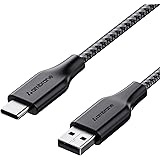
Ambrane Unbreakable 3A Fast Charging 1.5m Braided Type C Cable for Smartphones, Tablets & other Type C devices, 480Mbps Data Sync, Quick Charge 3.0 (RCT15A, Black)
₹129.00 (as of October 27, 2026 17:07 GMT +05:30 - More infoProduct prices and availability are accurate as of the date/time indicated and are subject to change. Any price and availability information displayed on [relevant Amazon Site(s), as applicable] at the time of purchase will apply to the purchase of this product.)
Watch the original video: Whatsapp Username Update is here !
Disclosure: This post may contain affiliate links. If you buy through them, Informative Media may earn a small commission at no extra cost to you.
Quick Summary
- WhatsApp now allows you to create a unique username, enhancing privacy by not requiring phone number sharing.
- Setting up your username is a simple process explained step-by-step.
- This feature offers a more secure and convenient way to connect with others on WhatsApp.
- Choosing a good username is key for recognition and ease of contact.
Amazon Finds
Recommended Products
WhatsApp has finally dropped a feature many have been waiting for: the ability to create a unique WhatsApp Username! This is a huge step for privacy and makes connecting with people a breeze, all without the awkwardness of swapping phone numbers. If you’re wondering how this works, you’re in the right place. We’ve broken down everything you need to know.
You can also check out our detailed video guide on how to set up your new WhatsApp Username here: Whatsapp Username Update is here !
The Problem: Sharing Phone Numbers for Every Chat
For years, WhatsApp’s core was tied to your phone number. While great for connecting with people you already know, it became a hurdle when dealing with businesses, new contacts, or just wanting a bit more privacy. Sharing your number widely felt risky, and managing who had it could be a hassle. This update directly addresses that.
The Quick Answer: Your Unique WhatsApp Username
WhatsApp is rolling out a username feature. This means you can set up a unique ID (like @yourname) that others can use to find and message you directly on WhatsApp, without ever needing your phone number. It’s like having a social media handle within your favorite messaging app.
How to Create Your WhatsApp Username: Step-by-Step
Setting up your username is straightforward:
- Open WhatsApp: Ensure you have the latest version installed.
- Go to Settings: Tap on the ‘Settings’ icon.
- Find Your Profile: Select your profile name at the top.
- Create Your Username: You’ll see a new ‘Username’ field. Tap on it and enter your desired username.
- Save Changes: Confirm your username. If it’s taken, you’ll need to try a different one.
Once set, you can share this username. People can then search for it within WhatsApp to start a chat.
Why This WhatsApp Username Feature Matters
This update is more than just a convenience; it’s a significant boost for:
- Privacy: Keep your phone number private while still being reachable.
- Convenience: Easily connect with businesses, services, or new acquaintances.
- Security: Reduces the risk of unsolicited calls or messages from unknown numbers.
- Professionalism: Offers a cleaner way for professionals and businesses to be contacted.
For those who value their digital privacy, this is a welcome change. It aligns WhatsApp more closely with other social platforms where usernames are the norm. If you’re interested in managing your online presence, you might also find our guide on [How to Deactivate Instagram Account from Desktop or Web Browser Easily](https://informativemedia.in/tips-and-tricks/how-to-deactivate-instagram-account-from-desktop-web/) helpful.
Tips for Choosing the Best Username
- Keep it Simple & Memorable: Easy to recall and type.
- Be Professional (if needed): For business use, ensure it reflects your brand or profession.
- Check Availability: Popular names will go fast.
- Avoid Personal Info: While private, it’s still good practice not to include sensitive details.
- Consider Your Brand: If you’re a creator or business, use a consistent handle across platforms.
Potential Issues You Might Face
- Username Already Taken: The most common issue. Be prepared with alternatives.
- App Not Updated: Ensure you’re on the latest version of WhatsApp.
- Feature Rollout: Updates can sometimes roll out in phases, so it might take a day or two to appear for everyone.
Frequently Asked Questions (FAQ)
- Can I change my WhatsApp Username after setting it?
- Yes, the feature allows you to update your username if needed, though there might be limits on how often you can change it.
- Can people still message me using my phone number?
- Yes, existing chat methods are still available. The username is an additional way to connect.
- Is this feature available on WhatsApp Business?
- The username feature is expected to be available for both personal and business accounts, offering similar privacy benefits.
- What happens if someone already has my phone number?
- If they already have your number saved, they can continue to message you as before. The username is for initiating new connections or for those who don’t have your number.
This WhatsApp username update is a significant move towards more user-centric privacy controls. It simplifies connections and makes WhatsApp an even more versatile tool for daily communication. Don’t forget to update your app and set up your unique username today!
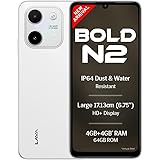
Lava Bold N2 (Siachen White, 4 GB RAM, 64 GB Storage) | 13MP AI Dual Rear Camera | Largest 6.75" HD+ Display | 5000 mAh Battery & 10W Charging | IP64 Water & Dust Proof | Charger & Phone-Case in Box
₹9,349.00 (as of October 27, 2026 17:07 GMT +05:30 - More infoProduct prices and availability are accurate as of the date/time indicated and are subject to change. Any price and availability information displayed on [relevant Amazon Site(s), as applicable] at the time of purchase will apply to the purchase of this product.)