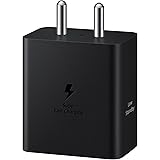
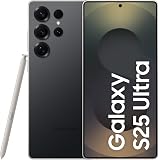
Samsung Galaxy S25 Ultra 5G AI Smartphone (Titanium Black, 12GB RAM, 256GB Storage), 200MP Camera, 5000mAh Ultra Long Battery, QHD+ Dynamic AMOLED 2X, Galaxy AI, Knox Security, S Pen Included
₹96,999.00 (as of October 27, 2026 17:07 GMT +05:30 - More infoProduct prices and availability are accurate as of the date/time indicated and are subject to change. Any price and availability information displayed on [relevant Amazon Site(s), as applicable] at the time of purchase will apply to the purchase of this product.)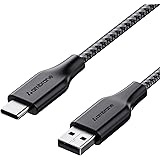
Ambrane Unbreakable 3A Fast Charging 1.5m Braided Type C Cable for Smartphones, Tablets & other Type C devices, 480Mbps Data Sync, Quick Charge 3.0 (RCT15A, Black)
₹129.00 (as of October 27, 2026 17:07 GMT +05:30 - More infoProduct prices and availability are accurate as of the date/time indicated and are subject to change. Any price and availability information displayed on [relevant Amazon Site(s), as applicable] at the time of purchase will apply to the purchase of this product.)
Watch the original video: New 5 Whatsapp Beta Updates
Disclosure: This post may contain affiliate links. If you buy through them, Informative Media may earn a small commission at no extra cost to you.
Quick Summary
- Create stickers directly within WhatsApp from your own photos.
- React to Status updates with a wider range of emojis.
- Utilize new read-based disappearing messages for better privacy.
- Gain more control over who sees your WhatsApp Status.
- Enhance security by checking and managing linked device activity.
Amazon Finds
Recommended Products
Ever feel like WhatsApp is just… static? Well, get ready, because some big changes are rolling out, and they’re actually useful for everyday use. If you’re glued to WhatsApp daily, you’ll want to pay attention to these new features. We’ve broken down 5 of the latest WhatsApp beta updates that you might not know about yet. Check out the video to see them in action: New 5 Whatsapp Beta Updates.
Tired of Clunky Sticker Creation? There’s a Better Way!
Let’s face it, finding the perfect sticker or making your own used to be a hassle, often requiring extra apps. Not anymore. WhatsApp is now letting you create stickers directly within the app using your own photos. Crop, edit, and send – it’s incredibly straightforward and surprisingly powerful.
Express Yourself Better with Status Reactions
Remember when reacting to a Status update was limited to just a few emojis? Those days are fading. The latest updates bring a whole new level of expression, allowing you to use a much wider range of emojis to react. Say goodbye to typing out long replies and hello to quick, expressive reactions.
Disappearing Messages Get Smarter: Read-Based Timers
Privacy just got a significant boost. One of the most intriguing updates is the introduction of read-based disappearing messages. Instead of messages vanishing only when they’re sent, the timer can now start based on when the message is actually read. This gives you more granular control and enhanced privacy.
You’re in Control: Fine-Tuning Your Status Audience
Who sees your WhatsApp Status? Now, you have even smarter control over that. You can pick your audience for each status more precisely, whether that means hiding it from specific contacts or sharing it only with a select group. It’s all about giving you complete privacy control.
Linked Device Security: Keep an Eye on Your Accounts
Security is paramount, and this update directly addresses that. You can now easily check all your logged-in devices and monitor their activity. If you spot anything suspicious or an unknown device connected, you can log it out instantly. This is a crucial feature for keeping your account secure.
These new WhatsApp updates 2026 are clearly focusing on what matters: privacy, personalization, and smoother communication. Many users often overlook these settings, so make sure you explore your app thoroughly. If you’re a daily WhatsApp user, these hidden features are a game-changer. For more on managing your app experience, consider checking out our guide on latest WhatsApp beta downloads and upcoming features.
Frequently Asked Questions (FAQ)
- Can I create stickers from any photo in WhatsApp?
- Yes, the new feature allows you to use your own photos to create stickers directly within the app.
- How do read-based disappearing messages work?
- Disappearing messages will now have a timer that starts based on when the message is read, not just when it was sent.
- How can I improve my WhatsApp security?
- Regularly check the ‘Linked Devices’ section in your WhatsApp settings to monitor and manage active sessions.
If you found this breakdown helpful, don’t forget to like, share, and subscribe for more tech updates!
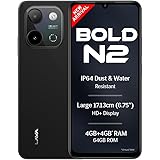
Lava Bold N2 (Indus Black, 4 GB RAM, 64 GB Storage) | 13MP AI Dual Rear Camera | Largest 6.75" HD+ Display | 5000 mAh Battery & 10W Charging | IP64 Water & Dust Proof | Charger & Phone-Case in Box
₹9,349.00 (as of October 27, 2026 17:07 GMT +05:30 - More infoProduct prices and availability are accurate as of the date/time indicated and are subject to change. Any price and availability information displayed on [relevant Amazon Site(s), as applicable] at the time of purchase will apply to the purchase of this product.)