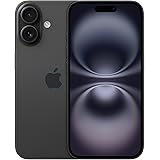
Apple iPhone 16 128 GB: 5G Mobile Phone with Camera Control, A18 Chip and a Big Boost in Battery Life. Works with AirPods; Black
₹76,999.00 (as of October 27, 2026 17:07 GMT +05:30 - More infoProduct prices and availability are accurate as of the date/time indicated and are subject to change. Any price and availability information displayed on [relevant Amazon Site(s), as applicable] at the time of purchase will apply to the purchase of this product.)
Ambrane Multipurpose Tabletop Mobile Stand | Adjustable Angle & Height| Universal Holder for iPhone, Samsung, OnePlus & All Smartphones | Portable, Anti-Skid | for Home, Office, Bed & Gifting (Black)
₹149.00 (as of October 27, 2026 17:07 GMT +05:30 - More infoProduct prices and availability are accurate as of the date/time indicated and are subject to change. Any price and availability information displayed on [relevant Amazon Site(s), as applicable] at the time of purchase will apply to the purchase of this product.)Whatsapp Beta version gets released almost every week and it has many upcoming features of whatsapp. Whatsapp Beta can be enabled in any phone by following some simple steps.
To download WhatsApp Beta on an Android device, you can follow these steps:
1. Open a web browser on your Android device and go to the WhatsApp Beta page on the Google Play Store.
2. Alternatively, you can search for “WhatsApp Beta” directly in the Google Play Store app.
3. Once you are on the WhatsApp Beta page in the Google Play Store, scroll down until you see the “Become a Beta Tester” section.
4. Tap the “I’m In” button to join the WhatsApp Beta program.
5. After joining the beta program, you will be redirected to the WhatsApp Beta page in the Google Play Store. Tap the “Install” button to download and install the WhatsApp Beta version on your device.
6. Wait for the installation to complete. Once it’s finished, you can open WhatsApp Beta and set it up as you would with the regular WhatsApp version.
Please note that the WhatsApp Beta version may contain experimental features and could be less stable than the stable version available to the general public. Make sure to back up your chats before installing the beta version, as it may have bugs or compatibility issues.
WhatsApp Beta is a testing program offered by WhatsApp that allows users to access and test new features, updates, and improvements before they are officially released to the general public. It gives users the opportunity to try out upcoming features and provide feedback to WhatsApp about their experience.
By joining the WhatsApp Beta program, users can get early access to features that are still in development and not available in the stable version of WhatsApp. This allows users to explore and test new functionalities before they are rolled out to all WhatsApp users.
WhatsApp Beta versions are typically released more frequently than the stable versions, as they include the latest developments and changes. However, it’s important to note that beta versions may be less stable and could contain bugs or issues that are being actively worked on.
Users who participate in the WhatsApp Beta program are encouraged to report any bugs or provide feedback to WhatsApp through the provided channels. This feedback helps WhatsApp identify and address any issues before the feature or update is released to the wider user base in the stable version of WhatsApp.
Join this channel to get access to perks:
https://www.youtube.com/channel/UCsDOgGLJ0I5td9UZyikyMjQ/join
#InformativeMedia
Also Connect us:
Facebook: https://bit.ly/2RJYNRe
Twitter: https://bit.ly/2U7uLn2
LinkedIn: https://bit.ly/2WctrB6
Instagram: https://bit.ly/2WdB22H
Google Plus:http://bit.ly/InformativeMediaGPlus
For business inquires email: informativemedias@gmail.com
Informative Media is a YouTube channel that publishes quality Technological Videos
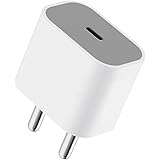
Apple 20W USB-C Power Adapter (for iPhone, iPad & AirPods), White
₹1,699.00 (as of October 27, 2026 17:07 GMT +05:30 - More infoProduct prices and availability are accurate as of the date/time indicated and are subject to change. Any price and availability information displayed on [relevant Amazon Site(s), as applicable] at the time of purchase will apply to the purchase of this product.)