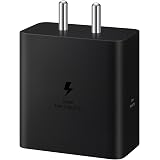

Samsung Original 25W USB Type-C Travel Adaptor Without Cable for Google Pixel, Xiaomi, Motorola, iPhone, Samsung Galaxy Tab S/A Series, Galaxy S10/M54/M55/A80/A90/S25/S24, White
₹500.00 (as of October 27, 2026 17:07 GMT +05:30 - More infoProduct prices and availability are accurate as of the date/time indicated and are subject to change. Any price and availability information displayed on [relevant Amazon Site(s), as applicable] at the time of purchase will apply to the purchase of this product.)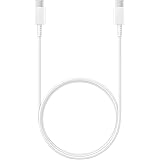
Samsung Original Type C to C Cable - 3.28 Feet (1 Meter), White
₹314.00 (as of October 27, 2026 17:07 GMT +05:30 - More infoProduct prices and availability are accurate as of the date/time indicated and are subject to change. Any price and availability information displayed on [relevant Amazon Site(s), as applicable] at the time of purchase will apply to the purchase of this product.)
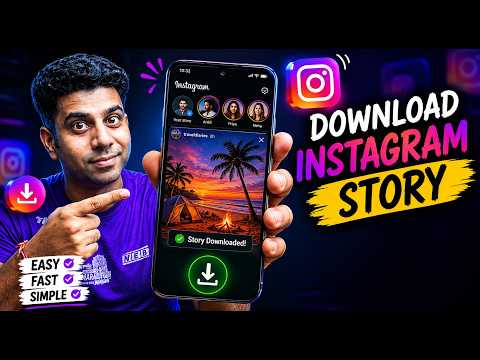
Watch the original video: How To Download Instagram Story
Disclosure: This post may contain affiliate links. If you buy through them, Informative Media may earn a small commission at no extra cost to you.
Quick Summary
- Instagram doesn’t offer a built-in download button for other users’ stories.
- You can download Instagram Stories without installing any additional apps.
- Methods exist for Android, iPhone, and PC users.
- Save stories in their original HD quality.
- Learn easy tricks to preserve your favorite content.
Amazon Finds
Recommended Products
How To Download Instagram Story Without Any App
Ever stumbled upon an amazing Instagram Story – a funny video, an inspiring quote, or a beautiful photo – and wished you could save it before it vanished? We’ve all been there. While Instagram makes it easy to share moments, it doesn’t offer a direct way to download other people’s stories. But don’t worry, saving those fleeting moments is simpler than you think! This guide, inspired by a helpful video tutorial, shows you exactly how to download Instagram Stories on your Android, iPhone, or PC, all without needing to install any extra apps.
Whether it’s your own content you want to archive or a public story from someone else that you absolutely need to keep, these methods are safe, easy, and effective. Let’s dive into how you can preserve those precious stories in high quality.
The Problem: Stories Disappear, But You Want to Keep Them
The core issue is Instagram’s ephemeral nature for Stories. They’re designed to vanish after 24 hours, which encourages engagement but leaves users unable to save content they might want later. Unlike feed posts, there’s no ‘Save’ button for someone else’s Story.
The Quick Answer: Use Web-Based Story Downloaders
The most straightforward way to download Instagram Stories without an app is by using web-based tools. These websites act as intermediaries, allowing you to enter a username and download their public stories. No software installation is required, making it super convenient.
Step-by-Step Guide to Downloading Instagram Stories
Here’s how you can grab those stories:
- Find a Reliable Story Downloader Website: Search online for terms like “Instagram Story Downloader” or “Save Instagram Story online.” You’ll find several options. (Always exercise caution and stick to reputable sites.)
- Open the Website: Navigate to your chosen downloader site in your web browser (on your phone or computer).
- Enter the Instagram Username: Look for a search bar on the website and type in the exact Instagram username of the account whose story you want to download.
- View and Download: The website will then display the available stories from that user. You’ll typically see options to download photos and videos individually. Click the download button for the content you want to save.
This method works for both photos and videos and typically preserves the original quality. Remember, this only works for public accounts or if you are logged into an account that follows a private account.
Pro Tips and Shortcuts
- Bookmark Your Favorite Site: Once you find a downloader website that works well for you, bookmark it for quick access next time.
- Check Quality: Most sites download in HD, but it’s always good to confirm if the option is available.
- For Your Own Stories: If you want to save your own story before it expires, you can also find an option within the Instagram app itself (usually by tapping the three dots on your story) to save it to your phone’s gallery. This video doesn’t cover that, but it’s a built-in feature worth knowing!
- Using Browser Extensions: Some browsers offer extensions that can integrate downloading capabilities directly into your Instagram feed, though this often involves installing an extension, which is slightly different from using a web tool.
Common Mistakes to Avoid
- Downloading from Untrusted Sites: Be wary of websites that ask for your Instagram login credentials. Stick to sites that only require a username.
- Trying to Download Private Stories: If an account is private and you don’t follow them, you won’t be able to download their stories using these public methods.
- Expecting Direct App Downloads: Remember, the goal here is to avoid *installing* apps. These web tools are the key. If you’re looking for ways to enhance your Instagram experience, perhaps check out this guide on how to add awesome Instagram Story to make your own posts stand out.
Frequently Asked Questions (FAQ)
Can I download Instagram Stories without installing any app?
Yes, you absolutely can! The easiest way is by using reputable web-based story downloader websites that don’t require any app installation on your Android, iPhone, or PC.
Do these methods work for private Instagram accounts?
No, these methods generally only work for public Instagram accounts. If an account is private, you can only download stories if you are logged in and following that account, and even then, specific downloader tools might not support it.
Will the downloaded stories be in HD quality?
Most reliable story downloader websites aim to download content in its original, high-definition (HD) quality, preserving both image and video clarity.
Is it legal to download someone else’s Instagram Story?
Downloading content for personal, private use is generally considered acceptable, but be mindful of copyright. Always get permission before reposting or using someone else’s content publicly.
Saving those memorable Instagram Stories is now within your reach, without any hassle. Enjoy keeping your favorite visual moments!

Samsung Original 25W USB Type-C Travel Adaptor Without Cable for Google Pixel, Xiaomi, Motorola, iPhone, Samsung Galaxy Tab S/A Series, Galaxy S10/M54/M55/A80/A90/S25/S24, Black
₹449.00 (as of October 27, 2026 17:07 GMT +05:30 - More infoProduct prices and availability are accurate as of the date/time indicated and are subject to change. Any price and availability information displayed on [relevant Amazon Site(s), as applicable] at the time of purchase will apply to the purchase of this product.)