
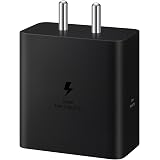
Samsung Original 60W Power Adapter (Black), GaN Fast Charging, USB Power Delivery 3.1, Universal Compatibility (Without Cable)
₹999.00 (as of October 27, 2026 17:07 GMT +05:30 - More infoProduct prices and availability are accurate as of the date/time indicated and are subject to change. Any price and availability information displayed on [relevant Amazon Site(s), as applicable] at the time of purchase will apply to the purchase of this product.)
Ambrane Unbreakable 60W Fast Charging 1.5M Braided Type C to Type C Cable for Smartphones, Tablets, Laptops & Other Type C Devices, PD Technology, 480Mbps Data Sync (RCTT15, Black)
₹129.00 (as of October 27, 2026 17:07 GMT +05:30 - More infoProduct prices and availability are accurate as of the date/time indicated and are subject to change. Any price and availability information displayed on [relevant Amazon Site(s), as applicable] at the time of purchase will apply to the purchase of this product.)
Watch the original video: How To Use Gemma 4 on Mobile for FREE | Local AI
Disclosure: This post may contain affiliate links. If you buy through them, Informative Media may earn a small commission at no extra cost to you.
Quick Summary
- Access Google Gemma 4 directly on your smartphone, both Android and iPhone.
- The process is free and doesn’t require a high-end device.
- Key features include AI text generation, code assistance, image understanding, and summarization.
- Gemma 4 offers real-time AI assistance for studies, content creation, and productivity on the go.
Amazon Finds
Recommended Products
Unlock Local AI Power: How to Use Google Gemma 4 on Mobile for FREE
Ever wished you could have a powerful AI assistant right in your pocket, accessible anytime, anywhere, and for free? Well, Google’s Gemma 4 is making that a reality, and this guide, inspired by the insights from our latest YouTube video, will walk you through exactly how to use it on your mobile device.
Whether you’re a student juggling assignments, a content creator looking for inspiration, a freelancer needing a productivity boost, or simply someone fascinated by the rapid advancements in artificial intelligence, you’ll find Gemma 4 incredibly useful. We’re talking about running a sophisticated AI model directly on your Android or iPhone without needing a super-expensive gadget.
Getting Started with Gemma 4 on Your Phone
The process is surprisingly straightforward. The video linked above ([https://www.youtube.com/watch?v=tIYldwbjPZg](https://www.youtube.com/watch?v=tIYldwbjPZg)) covers the full installation and usage, but here’s a quick rundown of the steps:
- Access Gemma 4: Download a supported app from the Play Store or App Store, or access it via a compatible web browser.
- Sign In: Use your Google account to log in.
- Start Prompting: Begin typing your questions or requests, or opt for voice input for hands-free operation.
- Upload Media (Optional): If the app supports it, you can upload images or documents for analysis.
- Receive Responses: Get instant, intelligent AI responses in seconds.
The beauty of Gemma 4 on mobile is its optimization. It runs smoothly on most modern smartphones, so you don’t need the latest flagship to experience its capabilities.
Explore Gemma 4’s Powerful Mobile Features
Google’s Gemma 4 isn’t just about basic chat; it’s packed with features designed to assist you in various ways:
- AI Text Generation: Draft emails, craft social media captions, or even generate essay outlines.
- Code Assistance: Get help with generating or debugging code snippets.
- Image Understanding: Upload a photo and ask questions about its content.
- Document Summary: Condense long PDFs or articles into concise summaries.
- Translation Support: Break down language barriers with multi-language capabilities.
- Voice Input: Speak your prompts instead of typing.
- Fast Response Speed: Engineered for efficiency on mobile devices.
- Smart Context Memory: The AI remembers previous parts of your conversation, understanding follow-up questions.
Keep in mind that feature availability can vary slightly based on your region or the specific app version you’re using, so keeping your app updated is key.
Why Carry Gemma 4 in Your Pocket?
The benefits of having Gemma 4 accessible on your phone are numerous:
- On-Demand Answers: Get quick information whenever you need it.
- Study & Research Aid: Quickly find information or summarize complex topics.
- Content Creation On-the-Go: Brainstorm ideas, draft posts, or edit content from anywhere.
- Productivity Booster: Streamline tasks, manage your schedule, and get assistance with work.
- AI Assistant 24/7: It’s like having a knowledgeable companion available around the clock.
This makes Gemma 4 an indispensable tool for anyone looking to leverage AI for everyday tasks and professional endeavors. For those interested in mastering AI tools, you might also find it useful to learn about how to unlock ChatGPT’s full potential with a single prompt trick, showcasing the diverse ways AI can be enhanced.
Frequently Asked Questions (FAQ)
Q1: Is Google Gemma 4 really free to use on mobile?
Yes, accessing and using Gemma 4 on your mobile device via supported apps or browsers is generally free, though specific app features might evolve.
Q2: Do I need a powerful smartphone to run Gemma 4?
No, Gemma 4 is optimized to run smoothly on most modern smartphones, so you don’t need a high-end device.
Q3: Can Gemma 4 understand images I upload?
Yes, many versions of Gemma 4 support image understanding, allowing you to upload photos and ask questions about them.
Q4: How does Gemma 4 compare to other AI models on mobile?
Gemma 4 offers a strong balance of features and performance specifically optimized for on-device or easily accessible mobile use, focusing on speed and accessibility.
Conclusion
Bringing Google’s advanced Gemma 4 AI model to your mobile phone for free opens up a world of possibilities. From simplifying complex tasks to sparking creativity, it’s an AI assistant that truly fits in your pocket. Give it a try and see how it can enhance your daily life!
If this guide helped you get started with Gemma 4, please consider liking the video and subscribing to Informative Media for more tech tutorials and AI updates. Let us know in the comments if you’d like to see a comparison between Gemma 4 and other popular AI models!
Relevant Resources:
- How to See Archived Chats in ChatGPT
- Effortlessly Remove Gemini Watermark from Your AI-Generated Images
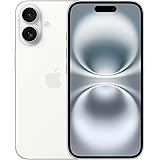
Apple iPhone 16 128 GB: 5G Mobile Phone with Camera Control, A18 Chip and a Big Boost in Battery Life. Works with AirPods; White
₹76,999.00 (as of October 27, 2026 17:07 GMT +05:30 - More infoProduct prices and availability are accurate as of the date/time indicated and are subject to change. Any price and availability information displayed on [relevant Amazon Site(s), as applicable] at the time of purchase will apply to the purchase of this product.)