
SANDISK 128GB Ultra Go microSD Card UHS-I, Up to 190MB/s, Full HD Video, Memory Card for Android Smartphones, Tablets, 10-Year Warranty
₹1,999.00 (as of October 27, 2026 17:07 GMT +05:30 - More infoProduct prices and availability are accurate as of the date/time indicated and are subject to change. Any price and availability information displayed on [relevant Amazon Site(s), as applicable] at the time of purchase will apply to the purchase of this product.)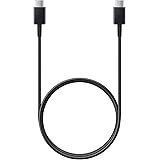
Samsung Original Type C to C Cable - 3.28 Feet (1 Meter), Black
₹304.00 (as of October 27, 2026 17:07 GMT +05:30 - More infoProduct prices and availability are accurate as of the date/time indicated and are subject to change. Any price and availability information displayed on [relevant Amazon Site(s), as applicable] at the time of purchase will apply to the purchase of this product.)
Watch the original video: I searched using USERNAME on WhatsApp
Disclosure: This post may contain affiliate links. If you buy through them, Informative Media may earn a small commission at no extra cost to you.
Quick Summary
- Connect on WhatsApp without sharing your phone number by using the new username feature.
- Learn the simple steps to search for and initiate chats with users via their username.
- Understand why a username might not show up in searches and how to fix common issues.
- Discover privacy settings related to your WhatsApp username.
Amazon Finds
Recommended Products
Ever wished you could connect with someone on WhatsApp without the awkwardness of asking for their phone number first? Good news! WhatsApp has rolled out a username feature that makes this possible. You can now search for and chat with people using just their unique username. This is a game-changer for privacy and convenience.
This post dives into how to leverage this new feature, inspired by the helpful guide in the video ‘I searched using USERNAME on WhatsApp’.
The Problem: Connecting Without Sharing Your Number
In today’s digital world, sharing your phone number can feel a bit too personal. Whether it’s a new acquaintance, a professional contact, or just someone you met online, having an alternative way to connect on a popular platform like WhatsApp is incredibly useful. That’s where the username feature comes in.
Quick Answer: Yes, You Can Search by Username!
WhatsApp has introduced the ability to create and use a username. This allows users to find and chat with others without needing their phone number. It’s a straightforward process once you know where to look.
Step-by-Step Guide: How to Search Using a WhatsApp Username
- Create Your Username: First, ensure you have a username set up. Go to WhatsApp Settings > Profile > Username. If you haven’t set one, create it now.
- Open WhatsApp: Launch the WhatsApp application on your smartphone.
- Navigate to New Chat: Tap the ‘New Chat’ icon (usually a speech bubble or a plus sign in a circle) in the Chats tab.
- Use the Search Bar: At the top of the contact list, you’ll find a search bar. Type the username of the person you’re looking for here.
- Initiate the Chat: If the username is found and the user has made it searchable, their profile should appear. Tap on it to open a chat window and start messaging.
Pro Tips & Shortcuts
- Sharing Your Username: Make it easy for others to find you by sharing your username directly. You can also generate a QR code that links to your username.
- Privacy First: Remember that your username is public. Be mindful of what you share and who you connect with. You can manage who sees your username in your privacy settings.
- Explore Related Features: Check out how to create content with AI tools, which can be a great way to enhance your online presence, similar to how usernames help with connections. For instance, learn how to Create FREE AI Videos with NotebookLM.
Common Mistakes & Troubleshooting
Can’t find the username you’re searching for? Here are a few reasons why:
- Username Not Set: The person you’re trying to find might not have set up a username yet.
- Privacy Settings: The user may have disabled the searchability of their username in their privacy settings.
- App Version: Ensure both you and the other person are using an updated version of WhatsApp. Older versions might not support the username feature.
- Incorrect Username: Double-check the spelling. Usernames are case-sensitive.
- Feature Availability: While rolling out, the feature might not be available in all regions or for all users yet.
Frequently Asked Questions (FAQ)
Can I find anyone on WhatsApp using their username?
You can find users on WhatsApp via their username only if they have set one up and enabled the searchability for it in their privacy settings. Not everyone may have a username or have it discoverable.
Is searching by username a new feature on WhatsApp?
Yes, the ability to create and search using usernames is a relatively new feature being rolled out by WhatsApp to enhance user privacy and connectivity.
How do I make my WhatsApp username searchable?
Once you’ve set up your username in your profile settings, you can usually control its visibility and searchability within WhatsApp’s privacy options. Look for settings related to ‘Profile visibility’ or ‘Username search’.
This username feature adds a great layer of control over your communication on WhatsApp. Give it a try and enjoy connecting more privately!

Samsung Original 25W USB Type-C Travel Adaptor Without Cable for Google Pixel, Xiaomi, Motorola, iPhone, Samsung Galaxy Tab S/A Series, Galaxy S10/M54/M55/A80/A90/S25/S24, Black
₹449.00 (as of October 27, 2026 17:07 GMT +05:30 - More infoProduct prices and availability are accurate as of the date/time indicated and are subject to change. Any price and availability information displayed on [relevant Amazon Site(s), as applicable] at the time of purchase will apply to the purchase of this product.)