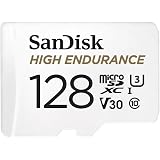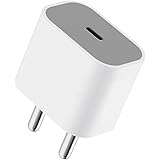
Apple 20W USB-C Power Adapter (for iPhone, iPad & AirPods), White
₹1,699.00 (as of October 27, 2026 17:07 GMT +05:30 - More infoProduct prices and availability are accurate as of the date/time indicated and are subject to change. Any price and availability information displayed on [relevant Amazon Site(s), as applicable] at the time of purchase will apply to the purchase of this product.)
Samsung Original 25W USB Type-C Travel Adaptor Without Cable for Google Pixel, Xiaomi, Motorola, iPhone, Samsung Galaxy Tab S/A Series, Galaxy S10/M54/M55/A80/A90/S25/S24, Black
₹449.00 (as of October 27, 2026 17:07 GMT +05:30 - More infoProduct prices and availability are accurate as of the date/time indicated and are subject to change. Any price and availability information displayed on [relevant Amazon Site(s), as applicable] at the time of purchase will apply to the purchase of this product.)Vivo V20 has a great ripple rear camera with Primary lens of 64MP which is Samsung Sensor and in front it has 44MP Camera which is Auto Eye Focus which is a DSLR like functionality but still google camera is something that everyone wants on Vivo V20
hence, we will tell you on how to install GCAM on Vivo V20 with Advance Setting. Google Camera for Vivo V20 can be installed via the link shared in the video (please check I button for that).
Download GCam For VIVO V20:
Google Camera aka GCAM apk for Vivo V20 has size of 153MB. This application can be installed directly without any additional tweaks but it has some bugs which will be fixed based on the settings I discussed for GCAM in Vivo V20.
Steps to Install GCAM for Vivo V20:
0:00 Introduction
1:54 Giveaway Information
3:13 Download GCAM for Vivo V20
4:00 Installation of Google Camera on Vivo V20
6:37 Bug Fix for GCAM
7:38 Advance Setting
#VivoV20 #informativemedia #Giveaway
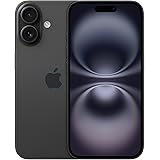
Apple iPhone 16 128 GB: 5G Mobile Phone with Camera Control, A18 Chip and a Big Boost in Battery Life. Works with AirPods; Black
₹76,999.00 (as of October 27, 2026 17:07 GMT +05:30 - More infoProduct prices and availability are accurate as of the date/time indicated and are subject to change. Any price and availability information displayed on [relevant Amazon Site(s), as applicable] at the time of purchase will apply to the purchase of this product.)