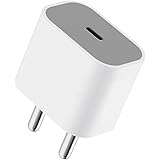
Apple 20W USB-C Power Adapter (for iPhone, iPad & AirPods), White
₹1,699.00 (as of October 27, 2026 17:07 GMT +05:30 - More infoProduct prices and availability are accurate as of the date/time indicated and are subject to change. Any price and availability information displayed on [relevant Amazon Site(s), as applicable] at the time of purchase will apply to the purchase of this product.)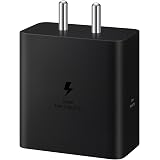
Samsung Original 60W Power Adapter (Black), GaN Fast Charging, USB Power Delivery 3.1, Universal Compatibility (Without Cable)
₹999.00 (as of October 27, 2026 17:07 GMT +05:30 - More infoProduct prices and availability are accurate as of the date/time indicated and are subject to change. Any price and availability information displayed on [relevant Amazon Site(s), as applicable] at the time of purchase will apply to the purchase of this product.)If you are also using google chrome then you should know that chrome saves Incognito history and you can view incognito history saved by Chrome. Also, there is a trick to delete incognito history as well.
Steps to View Incognito History:
Google Chrome Incognito Mode History can be retrieved on Windows Laptop using Unix Commands via checking DNS Servers. This Incognito browsing history is saved in form of DNS Cache which can be used to view the details of the history on google chrome.
Steps to Delete Incognito Browser History:
To delete Incognito browser history, you need to go to Google chrome and type below urls:
chrome://chrome-urls
After entering this, go to net-internals, and then DNS. Under DNS clear host cache to delete google chrome incognito history.
Join this channel to get access to perks:
https://www.youtube.com/channel/UCsDOgGLJ0I5td9UZyikyMjQ/join
#InformativeMedia
Also Connect us:
Facebook: https://bit.ly/2RJYNRe
Twitter: https://bit.ly/2U7uLn2
LinkedIn: https://bit.ly/2WctrB6
Instagram: https://bit.ly/2WdB22H
Google Plus:http://bit.ly/InformativeMediaGPlus
For business inquires email: informativemedias@gmail.com
Informative Media is a YouTube channel that publishes quality Technological Videos
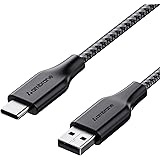
Ambrane Unbreakable 3A Fast Charging 1.5m Braided Type C Cable for Smartphones, Tablets & other Type C devices, 480Mbps Data Sync, Quick Charge 3.0 (RCT15A, Black)
₹129.00 (as of October 27, 2026 17:07 GMT +05:30 - More infoProduct prices and availability are accurate as of the date/time indicated and are subject to change. Any price and availability information displayed on [relevant Amazon Site(s), as applicable] at the time of purchase will apply to the purchase of this product.)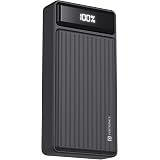
Portronics Luxcell B 20K Advanced 20000 mAh Power Bank with 22.5W Max Output, LED Battery Display, 22.5w Mach USB-A, 20w Type C PD Output, Type C Input, Wake Up Button, Black
Now retrieving the price.
(as of October 27, 2026 17:07 GMT +05:30 - More infoProduct prices and availability are accurate as of the date/time indicated and are subject to change. Any price and availability information displayed on [relevant Amazon Site(s), as applicable] at the time of purchase will apply to the purchase of this product.)