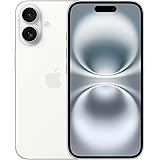
Apple iPhone 16 128 GB: 5G Mobile Phone with Camera Control, A18 Chip and a Big Boost in Battery Life. Works with AirPods; White
₹76,999.00 (as of October 27, 2026 17:07 GMT +05:30 - More infoProduct prices and availability are accurate as of the date/time indicated and are subject to change. Any price and availability information displayed on [relevant Amazon Site(s), as applicable] at the time of purchase will apply to the purchase of this product.)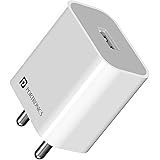
Portronics Adapto 12 2.4A 12W Fast Wall Charger for iPhone 11/Xs/XS Max/XR/X/8/7/6/Plus, iPad Pro/Air 2/Mini 3/Mini 4, Samsung S4/S5, and More(White)
₹129.00 (as of October 27, 2026 17:07 GMT +05:30 - More infoProduct prices and availability are accurate as of the date/time indicated and are subject to change. Any price and availability information displayed on [relevant Amazon Site(s), as applicable] at the time of purchase will apply to the purchase of this product.)Removing friends on Snapchat is a straightforward process that allows you to manage your friend list according to your preferences. Whether you want to declutter your list, maintain privacy, or distance yourself from certain individuals, the steps outlined in this article can help you remove friends on Snapchat with ease. Just remember that once you remove a friend, they won’t be able to see your snaps or stories unless you add them back, so choose carefully.
Detailed Steps:
1. Open Snapchat: Launch the Snapchat app on your mobile device. Make sure you are logged in to your Snapchat account with your username and password.
2. Go to Friends List: On the main screen of Snapchat, swipe right to access your Friends List. You will see a list of all your friends who have added you back on Snapchat.
3. Find the Friend to Remove: Scroll through your Friends List and locate the friend you want to remove. You can search for their name in the search bar at the top of the screen to make it easier to find them.
4. Tap and Hold: Once you have found the friend you want to remove, tap and hold on their name or Bitmoji. This will bring up a menu with different options.
5. Select “Remove Friend”: From the menu that appears, select the option “Remove Friend.” Snapchat will then ask you to confirm if you want to remove the friend.
6. Confirm Removal: A pop-up will appear asking you to confirm if you want to remove the friend. Tap “Yes” to confirm the removal. Please note that once you remove a friend on Snapchat, they will no longer be able to see your Snap Map location, and they won’t be able to send you snaps or see your stories unless you add them back as a friend.
7. Friend Removed: Once you confirm the removal, the friend will be removed from your Friends List, and you will no longer be connected on Snapchat.
Additional Tips:
If you’re not sure whether you want to permanently remove a friend, you can also choose to “Block” them. Blocking a friend on Snapchat will remove them from your Friends List, and they won’t be able to send you snaps or see your stories, but they won’t be notified that they’ve been blocked. You can unblock them later if you change your mind.
If you accidentally removed a friend on Snapchat and want to add them back, you can search for their username or scan their Snapcode to add them as a friend again.
About Snapchat –
Snapchat is a popular social media platform that enables users to send and receive photos, videos, and messages that disappear after a short time. It’s a fun way to stay connected with friends, but sometimes you may need to remove friends from your Snapchat account. Whether you want to declutter your friend list, distance yourself from certain individuals, or simply need to cut ties with someone, removing friends on Snapchat is easy to do. In this article, we will provide you with detailed steps on how to remove friends on Snapchat.
Join this channel to get access to perks:
https://www.youtube.com/channel/UCsDOgGLJ0I5td9UZyikyMjQ/join
#InformativeMedia
Also Connect us:
Facebook: https://bit.ly/2RJYNRe
Twitter: https://bit.ly/2U7uLn2
LinkedIn: https://bit.ly/2WctrB6
Instagram: https://bit.ly/2WdB22H
Google Plus:http://bit.ly/InformativeMediaGPlus
For business inquires email: informativemedias@gmail.com
Informative Media is a YouTube channel that publishes quality Technological Videos
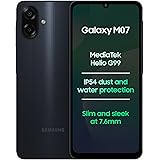
Samsung Galaxy M07 Mobile (Black, 4GB RAM, 64GB Storage) | MediaTek Helio G99 | AnTuTu 624K | IP54| 50MP Camera | 7.6mm Slim | 5000mAh Battery | 25W Fast Charging | 6 Gen OS Upgrades | Without Charger
₹11,999.00 (as of October 27, 2026 17:07 GMT +05:30 - More infoProduct prices and availability are accurate as of the date/time indicated and are subject to change. Any price and availability information displayed on [relevant Amazon Site(s), as applicable] at the time of purchase will apply to the purchase of this product.)