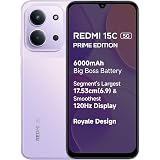
Ambrane Unbreakable 60W / 3A Fast Charging 1.5m Braided Micro USB Cable for Smartphones, Tablets, Laptops & Other Micro USB Devices, 480Mbps Data Sync, Quick Charge 3.0 (RCM15, Black)
₹103.00 (as of October 27, 2026 17:07 GMT +05:30 - More infoProduct prices and availability are accurate as of the date/time indicated and are subject to change. Any price and availability information displayed on [relevant Amazon Site(s), as applicable] at the time of purchase will apply to the purchase of this product.)
Portronics iKonnect C Pro Type C to 3.5 mm Audio Jack Connector with DAC Headphone Converter Adapter Compatible with iPhone 15 Pro Max/15 Pro/15 Plus, Galaxy S23/S22/S21/S208 & Other Type C Phones
₹195.00 (as of October 27, 2026 17:07 GMT +05:30 - More infoProduct prices and availability are accurate as of the date/time indicated and are subject to change. Any price and availability information displayed on [relevant Amazon Site(s), as applicable] at the time of purchase will apply to the purchase of this product.)Vivo V27 5G has amazing camera but all phones are not complete without Google Camera, hence today we will install GCAM on Vivo V27. Google Camera aka GCAM works perfectly with Vivo V27. VIVO V27 GCAM is also enabled with Cinematic Mode and Astrophotography.
Link to Install GCAM for Vivo V27 :
https://ift.tt/uhxWpPk
Steps to Install Google camera apk for Vivo V27:
0:00 Introduction to Cinematic Mode
0:39 Important Disclaimer
0:55 Step 1: Download GCAM
1:22 Step 2: Install GCAM
2:21 Step 3: Advance Setting on GCAM
2:58 Step 4: Quality Improvements
This GCAM works perfectly with Vivo V27 phone.
Join this channel to get access to perks:
https://www.youtube.com/channel/UCsDOgGLJ0I5td9UZyikyMjQ/join
#InformativeMedia
Also Connect us:
Facebook: https://bit.ly/2RJYNRe
Twitter: https://bit.ly/2U7uLn2
LinkedIn: https://bit.ly/2WctrB6
Instagram: https://bit.ly/2WdB22H
Google Plus:http://bit.ly/InformativeMediaGPlus
For business inquires email: informativemedias@gmail.com
Informative Media is a YouTube channel that publishes quality Technological Videos
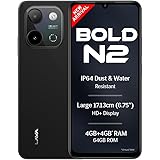
Lava Bold N2 (Indus Black, 4 GB RAM, 64 GB Storage) | 13MP AI Dual Rear Camera | Largest 6.75" HD+ Display | 5000 mAh Battery & 10W Charging | IP64 Water & Dust Proof | Charger & Phone-Case in Box
₹9,349.00 (as of October 27, 2026 17:07 GMT +05:30 - More infoProduct prices and availability are accurate as of the date/time indicated and are subject to change. Any price and availability information displayed on [relevant Amazon Site(s), as applicable] at the time of purchase will apply to the purchase of this product.)