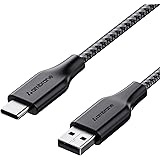
Ambrane Unbreakable 3A Fast Charging 1.5m Braided Type C Cable for Smartphones, Tablets & other Type C devices, 480Mbps Data Sync, Quick Charge 3.0 (RCT15A, Black)
₹129.00 (as of October 27, 2026 17:07 GMT +05:30 - More infoProduct prices and availability are accurate as of the date/time indicated and are subject to change. Any price and availability information displayed on [relevant Amazon Site(s), as applicable] at the time of purchase will apply to the purchase of this product.)
Portronics Bridge Y USB 3.0 to Type C OTG Adaptor, 10Gbps High Speed Data Transfer, Thunderbolt to USB Adapter, Compatible for All Type C Devices, Smartphone, Laptops, Tablets, Chargers, MacBook
₹99.00 (as of October 27, 2026 17:07 GMT +05:30 - More infoProduct prices and availability are accurate as of the date/time indicated and are subject to change. Any price and availability information displayed on [relevant Amazon Site(s), as applicable] at the time of purchase will apply to the purchase of this product.)Step-by-Step Guide to Delete Your Snapchat Account – Delete Snapchat Account
Introduction:
If you’re looking to permanently delete Snapchat account,then you’ve come to the right place. In this comprehensive guide, we will walk you through the process of deleting your Snapchat account. So, without further ado, let’s dive in and explore how to delete your Snapchat account and bid farewell to the popular social media platform once and for all.
Understanding the Need to Delete Your Snapchat Account:
While Snapchat has undoubtedly been a popular platform for sharing photos and videos with friends, you may have reached a point where you no longer find it appealing or have concerns about privacy and data security. Deleting your Snapchat account is a decision that should not be taken lightly, but if you’ve made up your mind, let’s proceed with the process.
Step-by-Step Guide to Delete Snapchat Account:
Step 1: Visit the Snapchat Support Website
To initiate the account deletion process, open a web browser and visit the official Snapchat support website.
Step 2: Access the Accounts Portal
Once you’re on the support website, locate and click on the “My Account & Security” section. Here, you will find the “Account Information” option.
Step 3: Choose “Delete My Account”
Within the “Account Information” section, scroll down to find the “Delete My Account” option. Click on it to proceed.
Step 4: Enter Your Account Credentials
Snapchat will now prompt you to enter your login credentials to verify your ownership of the account. Provide the required information accurately.
Step 5: Complete the Human Verification Process
To ensure the account deletion request is genuine, Snapchat may require you to pass a human verification process. This step may involve solving a simple puzzle or clicking on specific images.
Step 6: Final Confirmation
After completing the verification process, you will reach the final confirmation page. Take a moment to review the information and ensure you want to proceed with the account deletion. Once you’re sure, click on the “Delete My Account” button.
Step 7: Account Deletion Notification
Congratulations! You’ve successfully initiated the process to delete your Snapchat account. Snapchat will send you an account deletion notification via email.
Important Considerations
1. Account Deactivation Period: Snapchat retains your account data for 30 days after deletion. If you change your mind within this period, you can reactivate your account by logging back in.
2. Data Backup: Before deleting your account, make sure to save any important photos, videos, or chats you wish to keep. Once the account is deleted, this data will be permanently lost.
3. Friend Requests: If you delete your Snapchat account, all pending friend requests and sent friend requests will be lost. It’s advisable to reach out to your contacts via alternative means if you wish to stay in touch.
Conclusion
Deleting your Snapchat account can be a liberating experience, allowing you to move on from the platform and prioritize your digital well-being. By following the step-by-step guide provided above, you’ll be able to easily delete your Snapchat account and bid farewell to the platform. Remember to consider the important considerations mentioned, ensuring you have made the right decision for yourself. Happy account deletion!
Disclaimer: This article is for informational purposes only. The process of deleting a Snapchat account may change over time, so it’s recommended to visit the official Snapchat support website for the most up-to-date instructions.
Join this channel to get access to perks:
https://www.youtube.com/channel/UCsDOgGLJ0I5td9UZyikyMjQ/join
#InformativeMedia
Also Connect us:
Facebook: https://bit.ly/2RJYNRe
Twitter: https://bit.ly/2U7uLn2
LinkedIn: https://bit.ly/2WctrB6
Instagram: https://bit.ly/2WdB22H
Google Plus:http://bit.ly/InformativeMediaGPlus
For business inquires email: informativemedias@gmail.com
Informative Media is a YouTube channel that publishes quality Technological Videos

Ambrane Unbreakable 60W / 3A Fast Charging 1.5m Braided Micro USB Cable for Smartphones, Tablets, Laptops & Other Micro USB Devices, 480Mbps Data Sync, Quick Charge 3.0 (RCM15, Black)
₹103.00 (as of October 27, 2026 17:07 GMT +05:30 - More infoProduct prices and availability are accurate as of the date/time indicated and are subject to change. Any price and availability information displayed on [relevant Amazon Site(s), as applicable] at the time of purchase will apply to the purchase of this product.)