
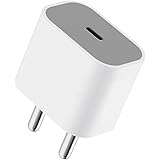
Apple 20W USB-C Power Adapter (for iPhone, iPad & AirPods), White
₹1,699.00 (as of October 27, 2026 17:07 GMT +05:30 - More infoProduct prices and availability are accurate as of the date/time indicated and are subject to change. Any price and availability information displayed on [relevant Amazon Site(s), as applicable] at the time of purchase will apply to the purchase of this product.)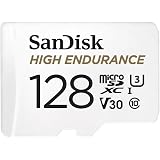
SanDisk 128GB High Endurance Video MicroSDXC Card with Adapter for Dash Cam and Home Monitoring Surveillance Systems - C10, U3, V30, 4K UHD, Micro SD Card - SDSQQNR-128G-GN6IA
₹3,699.00 (as of October 27, 2026 17:07 GMT +05:30 - More infoProduct prices and availability are accurate as of the date/time indicated and are subject to change. Any price and availability information displayed on [relevant Amazon Site(s), as applicable] at the time of purchase will apply to the purchase of this product.)
Watch the original video: How to Unban Whatsapp Account [100% Truth]
Disclosure: This post may contain affiliate links. If you buy through them, Informative Media may earn a small commission at no extra cost to you.
Quick Summary
- Understand why WhatsApp accounts get banned.
- Follow the official steps to request a review from WhatsApp support.
- Learn the difference between temporary and permanent bans.
- Get tips to avoid getting banned in the future.
Amazon Finds
Recommended Products
Lost Access to Your WhatsApp? Here’s How to Get Back In
That unsettling message – “This account can no longer use WhatsApp” – can really disrupt your day. If you’ve found yourself in this situation, don’t panic. We’ve put together a guide based on practical advice, like what you’d find in a detailed tutorial such as this one on How to Unban Whatsapp Account [100% Truth], to help you navigate the process of recovering your account.
Many users encounter bans, often due to using unofficial WhatsApp modifications like GB WhatsApp or WhatsApp Plus, or perhaps sending too many messages too quickly. Whether your account is temporarily suspended or permanently banned, there are steps you can take.
Understanding WhatsApp Bans
Before diving into the recovery process, it’s helpful to know why bans happen and the difference between temporary and permanent suspensions.
- Why Accounts Get Banned: Common reasons include violating WhatsApp’s Terms of Service. This often involves using third-party apps that aren’t officially approved, sending spam or bulk messages, or engaging in automated messaging.
- Temporary vs. Permanent Ban: A temporary ban usually has a countdown timer, indicating a period you must wait before you can use WhatsApp again. A permanent ban is more severe and requires a review process to potentially regain access.
Steps to Request a Review and Unban Your Account
If you see the message indicating your account can no longer use WhatsApp, the official route involves requesting a review. Here’s how to do it:
- Open WhatsApp: Launch the official WhatsApp application on your device.
- Tap ‘Request a Review’: You should see an option directly on the ban screen to initiate this process.
- Provide Details: Carefully fill in the required information. Be honest and clear in your explanation as to why you believe your account should be reinstated.
- Submit Your Explanation: Send your request through the app.
- Wait for a Response: WhatsApp support typically takes 24–48 hours to review your case. Be patient during this period.
Crucially, ensure you are using the official WhatsApp app, available from the Google Play Store or Apple App Store. Using modified versions is a primary reason for bans.
Contacting WhatsApp Support
If the ‘Request a Review’ option isn’t immediately visible or if you need further assistance, you can also try contacting WhatsApp support directly through their official channels. You can usually find support contact options within the app’s settings or on their official website.
Tips to Avoid Future Bans
Once you’ve hopefully recovered your account, it’s essential to avoid similar issues in the future. Stick to these guidelines:
- Use Only Official Apps: Never download or use unofficial versions of WhatsApp.
- Respect Messaging Limits: Avoid sending bulk messages or engaging in spam-like behavior.
- Be Mindful of Automation: Do not use automation tools or scripts to send messages.
- Review WhatsApp Policies: Stay informed about WhatsApp’s terms of service and community guidelines.
- Keep Your App Updated: Ensure your official WhatsApp app is always up-to-date.
For those who love staying connected and experimenting with mobile tech, understanding these platform rules is just as important as knowing the latest camera tricks on a new phone, like those found in our reviews of the Vivo V70 Selfie Camera Test or the iPhone 17e Camera Test.
Frequently Asked Questions (FAQ)
Q: Can I get my permanently banned WhatsApp account back?
It’s possible, but not guaranteed. You must successfully appeal the ban by requesting a review and explaining your situation clearly to WhatsApp support.
Q: How long does it take to get unbanned from WhatsApp?
The review process typically takes 24–48 hours. However, the total time can vary depending on WhatsApp’s support team workload.
Q: What should I do if I’m banned for no reason?
If you believe your ban was issued in error, immediately use the ‘Request a Review’ option and provide a detailed explanation of why you weren’t violating any policies.
Conclusion
Dealing with a WhatsApp ban can be frustrating, but following the official procedure for requesting a review offers the best chance of recovery. By understanding the reasons behind bans and adhering to WhatsApp’s guidelines, you can protect your account and ensure smooth communication moving forward.
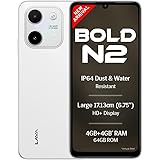
Lava Bold N2 (Siachen White, 4 GB RAM, 64 GB Storage) | 13MP AI Dual Rear Camera | Largest 6.75" HD+ Display | 5000 mAh Battery & 10W Charging | IP64 Water & Dust Proof | Charger & Phone-Case in Box
₹9,349.00 (as of October 27, 2026 17:07 GMT +05:30 - More infoProduct prices and availability are accurate as of the date/time indicated and are subject to change. Any price and availability information displayed on [relevant Amazon Site(s), as applicable] at the time of purchase will apply to the purchase of this product.)