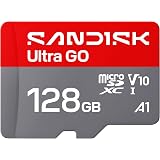
Ambrane Multipurpose Tabletop Mobile Stand | Adjustable Angle & Height| Universal Holder for iPhone, Samsung, OnePlus & All Smartphones | Portable, Anti-Skid | for Home, Office, Bed & Gifting (Black)
₹149.00 (as of October 27, 2026 17:07 GMT +05:30 - More infoProduct prices and availability are accurate as of the date/time indicated and are subject to change. Any price and availability information displayed on [relevant Amazon Site(s), as applicable] at the time of purchase will apply to the purchase of this product.)
Portronics Bridge Y USB 3.0 to Type C OTG Adaptor, 10Gbps High Speed Data Transfer, Thunderbolt to USB Adapter, Compatible for All Type C Devices, Smartphone, Laptops, Tablets, Chargers, MacBook
₹99.00 (as of October 27, 2026 17:07 GMT +05:30 - More infoProduct prices and availability are accurate as of the date/time indicated and are subject to change. Any price and availability information displayed on [relevant Amazon Site(s), as applicable] at the time of purchase will apply to the purchase of this product.)Redmi Note 11 was recently launched and Google camera is supported on Redmi Note 11. So here are we to tell you the process to install google camera on Redmi Note 11. Google camera is also known as GCAM. There are some steps and settings which you need to perform to install GCAM on Redmi note 11.
Redmi Note 11 GCAM:
0:00 Demo of Redmi Note 11 GCAM
0:26 Giveaway Announcement
1:00 Download GCAM for Redmi Note 11
3:26 Advance Setting for GCAM
4:03 Redmi Note 11 GCAM Sample photos
Download link for GCAM Redmi Note 11:
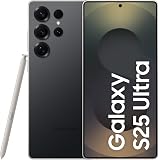
Samsung Galaxy S25 Ultra 5G AI Smartphone (Titanium Black, 12GB RAM, 256GB Storage), 200MP Camera, 5000mAh Ultra Long Battery, QHD+ Dynamic AMOLED 2X, Galaxy AI, Knox Security, S Pen Included
₹96,999.00 (as of October 27, 2026 17:07 GMT +05:30 - More infoProduct prices and availability are accurate as of the date/time indicated and are subject to change. Any price and availability information displayed on [relevant Amazon Site(s), as applicable] at the time of purchase will apply to the purchase of this product.)