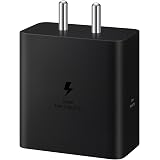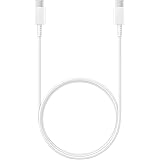
Samsung Original Type C to C Cable - 3.28 Feet (1 Meter), White
₹314.00 (as of October 27, 2026 17:07 GMT +05:30 - More infoProduct prices and availability are accurate as of the date/time indicated and are subject to change. Any price and availability information displayed on [relevant Amazon Site(s), as applicable] at the time of purchase will apply to the purchase of this product.)
SANDISK 128GB Ultra Go microSD Card UHS-I, Up to 190MB/s, Full HD Video, Memory Card for Android Smartphones, Tablets, 10-Year Warranty
₹1,999.00 (as of October 27, 2026 17:07 GMT +05:30 - More infoProduct prices and availability are accurate as of the date/time indicated and are subject to change. Any price and availability information displayed on [relevant Amazon Site(s), as applicable] at the time of purchase will apply to the purchase of this product.)
Watch the original video: Youtube’s AI for Thumbnails
Disclosure: This post may contain affiliate links. If you buy through them, Informative Media may earn a small commission at no extra cost to you.
Quick Summary
- YouTube’s AI tool within Studio can generate thumbnail suggestions based on your video content.
- It analyzes your video to find the best visuals for a compelling thumbnail.
- Using YouTube’s AI can be highly authentic when applied correctly.
- Experiment with the AI suggestions to find what best represents your video.
Amazon Finds
Recommended Products
Mastering YouTube Thumbnails with Built-In AI
Thumbnails are the digital storefront for your YouTube videos. They’re the first thing potential viewers see, and a compelling image can make all the difference between a click and a scroll. While many creators use external tools, have you considered the power lurking within YouTube Studio itself? This post explores how YouTube’s own AI can be a game-changer for your thumbnail creation, just like shown in this video: YouTube’s AI for Thumbnails.
Why YouTube’s AI for Thumbnails?
The advantage of using YouTube’s AI is its inherent understanding of your content. The tool reads through your uploaded video, analyzing its core themes and visuals to suggest the most relevant and potentially engaging thumbnail options. This means you’re not just picking a random frame; you’re leveraging a system designed to optimize for viewer interest directly within the platform.
How to Use YouTube’s AI Thumbnail Generator
Getting started is straightforward:
- Upload Your Video: Begin by uploading your video content to YouTube as usual.
- Navigate to YouTube Studio: Once uploaded, head over to your YouTube Studio.
- Access Thumbnail Options: During the video editing process, look for the thumbnail selection area. You should find an option to use the AI tool.
- Review AI Suggestions: The AI will present you with several thumbnail options based on your video’s content. These might include key scenes or visually distinct moments.
- Select or Customize: Choose the suggestion that you feel best represents your video. While the tool is powerful, don’t hesitate to make minor tweaks if needed, perhaps using external editing software for final polish.
Tips for Authentic AI Thumbnails
While AI can provide excellent starting points, remember that authenticity is key. The most effective AI-generated thumbnails feel natural and accurately represent the video’s promise. Here are a few pointers:
- Understand Your Content: Ensure the AI has enough content to analyze. Longer, more descriptive uploads generally yield better results.
- Check for Clarity: Does the suggested thumbnail clearly convey what the video is about? Avoid abstract or misleading visuals.
- Consider Your Audience: Think about what would grab the attention of your target viewers. Sometimes, a slightly more dramatic or intriguing thumbnail works best.
- Don’t Be Afraid to Edit: The AI is a tool, not a replacement for your creativity. Use it as a springboard and fine-tune the selected thumbnail in a program like Adobe Photoshop for maximum impact.
Frequently Asked Questions (FAQ)
Does YouTube’s AI tool cost extra?
No, the AI thumbnail suggestion tool is a built-in feature within YouTube Studio and is available to all creators at no additional cost.
Can I edit the AI-generated thumbnails?
Yes, you can select one of the AI-generated options or use them as inspiration. For more advanced edits, you’ll need to download the video and use external editing software, then re-upload your custom thumbnail.
Is YouTube’s AI thumbnail tool better than other AI thumbnail generators?
YouTube’s AI tool is often considered highly authentic because it directly analyzes your video content within the platform. While other tools exist, this one is integrated seamlessly into the upload process.
Conclusion
Leveraging YouTube’s native AI for thumbnail creation is a smart move for any creator looking to save time and potentially increase engagement. By understanding how the tool works and applying a touch of creative judgment, you can generate compelling thumbnails that accurately represent your content and draw viewers in. It’s about working smarter, not just harder, in the ever-evolving world of video content. For more AI insights, check out our piece on Zomato + ChatGPT or how to Clear Your Gemini Chat History.
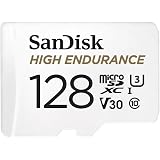
SanDisk 128GB High Endurance Video MicroSDXC Card with Adapter for Dash Cam and Home Monitoring Surveillance Systems - C10, U3, V30, 4K UHD, Micro SD Card - SDSQQNR-128G-GN6IA
₹3,699.00 (as of October 27, 2026 17:07 GMT +05:30 - More infoProduct prices and availability are accurate as of the date/time indicated and are subject to change. Any price and availability information displayed on [relevant Amazon Site(s), as applicable] at the time of purchase will apply to the purchase of this product.)