

Apple iPhone 16 128 GB: 5G Mobile Phone with Camera Control, A18 Chip and a Big Boost in Battery Life. Works with AirPods; Black
₹76,999.00 (as of October 27, 2026 17:07 GMT +05:30 - More infoProduct prices and availability are accurate as of the date/time indicated and are subject to change. Any price and availability information displayed on [relevant Amazon Site(s), as applicable] at the time of purchase will apply to the purchase of this product.)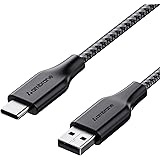
Ambrane Unbreakable 3A Fast Charging 1.5m Braided Type C Cable for Smartphones, Tablets & other Type C devices, 480Mbps Data Sync, Quick Charge 3.0 (RCT15A, Black)
₹129.00 (as of October 27, 2026 17:07 GMT +05:30 - More infoProduct prices and availability are accurate as of the date/time indicated and are subject to change. Any price and availability information displayed on [relevant Amazon Site(s), as applicable] at the time of purchase will apply to the purchase of this product.)
Watch the original video: Whatsapp me Chat Lock Kaise Kare
Disclosure: This post may contain affiliate links. If you buy through them, Informative Media may earn a small commission at no extra cost to you.
Quick Summary
- Enable WhatsApp Chat Lock to secure individual conversations.
- Use fingerprint or Face ID for enhanced privacy.
- Locked chats are found in a separate, hidden section.
- Understand how to remove chat lock and manage notifications.
- Essential tips for protecting your WhatsApp privacy.
Amazon Finds
Recommended Products
Is Someone Snooping on Your WhatsApp? Secure Your Chats Now!
In today’s digital world, privacy is paramount. WhatsApp, being a primary communication tool for many, holds our most personal conversations. If you’ve ever felt uneasy about someone accessing your phone and potentially reading your chats, WhatsApp’s new Chat Lock feature is a game-changer. This video explains exactly Whatsapp me Chat Lock Kaise Kare, ensuring your private conversations stay just that – private.
The latest WhatsApp update brings a much-needed layer of security with the Chat Lock feature, designed specifically for privacy-conscious users. However, many are still unsure how to properly utilize it. This comprehensive guide breaks down everything you need to know, making it easy to secure your chats with fingerprint or face lock.
Watch the full video here: Whatsapp me Chat Lock Kaise Kare
What You’ll Learn in This Guide:
- How to easily enable WhatsApp chat lock.
- Securing your chats using Fingerprint or Face Lock.
- Where to find your locked chats.
- The simple process to remove chat lock.
- Accessing hidden chats effectively.
- Benefits and limitations of the chat lock feature.
Step-by-Step Guide: Whatsapp Me Chat Lock Kaise Kare
Follow these straightforward steps to lock your sensitive WhatsApp conversations:
- Open your WhatsApp application.
- Navigate to the specific chat you wish to lock.
- Tap on the contact’s name at the top of the chat screen.
- Scroll down the contact info page and select the “Chat Lock” option.
- Enable either Fingerprint Lock or Face ID (depending on your phone’s capabilities).
Once these steps are completed, your chosen chat will be locked and moved to a special, secure section within WhatsApp, inaccessible without your biometric authentication. 🔐
Pro Tips & Important Considerations:
- Notification Privacy: Locked chat notifications can be hidden to prevent message previews from appearing on your lock screen.
- Backup Settings: Ensure your backup settings are configured correctly. Encrypted backups are crucial for overall security.
- Biometric Security: Never share your fingerprint or Face ID access with anyone.
- Hidden Trick: Stick around till the end of the video for a lesser-known trick about managing locked chats that most users miss!
If you’re a regular WhatsApp user, this feature is a must-have. In an era where data breaches are common, taking these simple steps to enhance your privacy can prevent significant issues. For more insights into keeping your digital life secure, check out our guide on 5 Dangerous New WhatsApp Updates.
Frequently Asked Questions (FAQ)
- Q1: How do I find my locked WhatsApp chats?
- Locked chats are accessible from the main WhatsApp chats screen. Scroll down from the top, and you’ll see a “Locked Chats” folder that requires your fingerprint or Face ID to open.
- Q2: Can someone still see if I’ve locked a chat?
- While the chat content is hidden, the existence of a locked chat section might be visible. However, accessing it requires your biometric authentication, making the content secure.
- Q3: What happens if I uninstall and reinstall WhatsApp?
- If you reinstall WhatsApp and restore from a backup, your locked chats should also be restored. However, it’s always wise to check your backup settings beforehand.
- Q4: Does Chat Lock hide message notifications?
- Yes, you can configure the Chat Lock settings to hide notifications from locked chats, preventing message previews from appearing on your main screen or lock screen.
Don’t let your private conversations be an open book. Implement WhatsApp’s Chat Lock today and take control of your digital privacy.
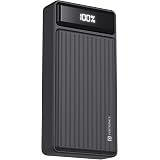
Portronics Luxcell B 20K Advanced 20000 mAh Power Bank with 22.5W Max Output, LED Battery Display, 22.5w Mach USB-A, 20w Type C PD Output, Type C Input, Wake Up Button, Black
Now retrieving the price.
(as of October 27, 2026 17:07 GMT +05:30 - More infoProduct prices and availability are accurate as of the date/time indicated and are subject to change. Any price and availability information displayed on [relevant Amazon Site(s), as applicable] at the time of purchase will apply to the purchase of this product.)