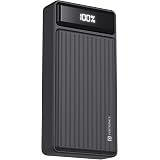
Portronics Luxcell B 20K Advanced 20000 mAh Power Bank with 22.5W Max Output, LED Battery Display, 22.5w Mach USB-A, 20w Type C PD Output, Type C Input, Wake Up Button, Black
Now retrieving the price.
(as of October 27, 2026 17:07 GMT +05:30 - More infoProduct prices and availability are accurate as of the date/time indicated and are subject to change. Any price and availability information displayed on [relevant Amazon Site(s), as applicable] at the time of purchase will apply to the purchase of this product.)
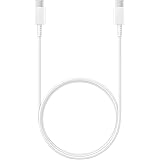
Portronics Konnect X USB to Type C Cable with 3A Output, Fast Charging & Data Transfer, Nylon Braided, Aluminium Alloy Shell, 1M Length compatible with Type C Smartphones(White)
₹129.00 (as of October 27, 2026 17:07 GMT +05:30 - More infoProduct prices and availability are accurate as of the date/time indicated and are subject to change. Any price and availability information displayed on [relevant Amazon Site(s), as applicable] at the time of purchase will apply to the purchase of this product.)
Watch the original video: Indian Govt is banning Whatsapp Username
Disclosure: This post may contain affiliate links. If you buy through them, Informative Media may earn a small commission at no extra cost to you.
Quick Summary
- The viral news about the Indian government banning WhatsApp usernames is a rumor.
- Issues with creating usernames are due to a phased rollout and eligibility requirements, not a ban.
- Learn how to check your eligibility and troubleshoot common username problems.
- Stay updated on WhatsApp’s latest features and updates.
Amazon Finds
Recommended Products
Indian Govt Banning WhatsApp Username? The Real Truth Revealed!
Recent buzz has been around whether the Indian Government is banning WhatsApp usernames. You might have seen it trending or heard from friends that creating a WhatsApp username is now impossible in India. Before you panic, let’s get to the bottom of this! We’re breaking down the rumors and explaining what’s really happening.
Watch this informative video that explains the situation clearly: Indian Govt is banning Whatsapp Username.
The Problem Statement: Why Can’t I Create a WhatsApp Username?
Many users across India have reported that the option to create a WhatsApp username has either disappeared from their app or shows an error when they try to set one up. This has led to widespread speculation that the Indian government has stepped in and banned the feature. But is that the actual reason?
Quick Answer: No, It’s Not a Government Ban
The short answer is: no, the Indian Government has not banned WhatsApp usernames. The issues you’re facing are primarily due to WhatsApp’s ongoing, phased rollout of the feature and specific eligibility criteria that not all users meet yet. It’s also possible that some users are encountering temporary glitches or bugs.
Understanding WhatsApp Username Rollout and Eligibility
WhatsApp is rolling out the username feature gradually to all users. This means not everyone gets access at the same time. Here’s what you need to know:
- Phased Rollout: Like many new features, usernames are being enabled for users in batches. Your region or account might simply not be in the current batch yet.
- Eligibility Requirements: To create a username, your WhatsApp account needs to be updated to the latest version. Furthermore, WhatsApp has specific guidelines for usernames, and yours might be rejected if it violates these policies (e.g., offensive language, impersonation).
- Unique Handles: Usernames must be unique. If your desired username is already taken, you won’t be able to create it.
Why Your Username Might Be Rejected or Unavailable
Several common reasons could explain why you’re unable to set up a username:
- App Not Updated: Ensure you have the latest version of WhatsApp installed from your device’s official app store.
- Not Eligible Yet: As mentioned, the rollout is gradual. Patience is key!
- Username Policy Violation: Check WhatsApp’s community guidelines regarding usernames.
- Temporary Glitch: Sometimes, a simple app restart or clearing the cache can resolve temporary issues.
Latest Updates and What to Expect
WhatsApp is continuously working on expanding the availability of the username feature. Keep your app updated and regularly check the feature’s availability. The goal is to eventually allow all users to connect privately without sharing their phone numbers, a concept we explored in detail in our guide to WhatsApp Usernames.
How to Fix Username Related Issues
If you’re facing problems, try these steps:
- Update WhatsApp: Go to the Google Play Store or Apple App Store and update WhatsApp.
- Restart Your Phone: A simple restart can often clear minor software conflicts.
- Clear Cache (Android): Go to Settings > Apps > WhatsApp > Storage > Clear Cache.
- Check for Official Announcements: Follow official WhatsApp channels or reliable tech news sources for updates on the rollout.
Pro Tip: Explore Enhanced WhatsApp Features
While waiting for the username feature, remember WhatsApp is always adding new functionalities. Features like View Once text, scheduling messages, and status mentions can significantly enhance your communication. For more on these and other useful tips, check out our post on WhatsApp’s New Secret Weapons.
Frequently Asked Questions (FAQ)
Is WhatsApp Username banned in India?
No, there is no official ban by the Indian government on WhatsApp usernames. The issues are related to the feature’s rollout and eligibility.
Why can’t I create a WhatsApp username?
You might not be eligible yet due to the phased rollout, or your desired username might be unavailable or violate WhatsApp’s policies. Ensure your app is updated.
When will WhatsApp usernames be available for everyone in India?
WhatsApp has not provided a specific timeline, but it is expected to be rolled out to all users gradually. Keep your app updated.
Can I use a username instead of my phone number on WhatsApp?
Yes, once you successfully create a username, you can share it with contacts so they can message you without needing your phone number. However, your phone number is still required for account verification.
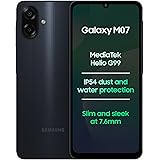
Samsung Galaxy M07 Mobile (Black, 4GB RAM, 64GB Storage) | MediaTek Helio G99 | AnTuTu 624K | IP54| 50MP Camera | 7.6mm Slim | 5000mAh Battery | 25W Fast Charging | 6 Gen OS Upgrades | Without Charger
₹11,999.00 (as of October 27, 2026 17:07 GMT +05:30 - More infoProduct prices and availability are accurate as of the date/time indicated and are subject to change. Any price and availability information displayed on [relevant Amazon Site(s), as applicable] at the time of purchase will apply to the purchase of this product.)